QuickPlanX Rapid Evolution: A Review of Our Latest Releases
Over the past few months, we have rolled out several major updates for QuickPlanX. Each iteration has focused on a single core goal: making project planning more visual, intuitive, and efficient.
Here is a review of our rapid evolution from version 1.1 to the latest 4.x releases.
Version 1.1 — Project Gantt Dashboard
Released: May 6, 2026
Key Feature: Consolidated high-level timeline of your project portfolio
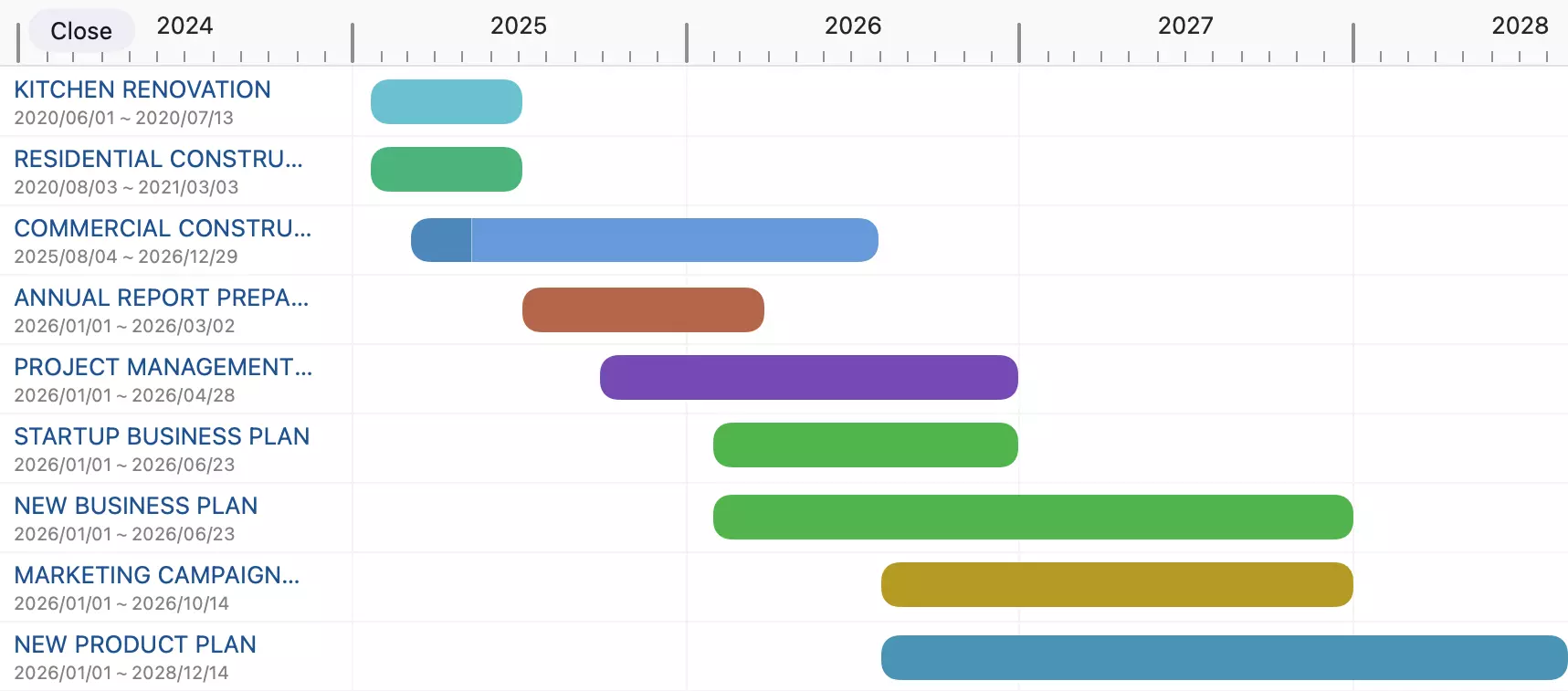
QuickPlanX 1.1 introduced the Project Gantt Dashboard — a new timeline view that displays all your projects in a single, high-level screen. It is the ultimate vantage point to monitor alignment across multiple projects and oversee portfolio status at a glance.
👉 Read the Version 1.1 Release Post
Version 2.0 — In-Progress View
Released: May 14, 2026
Key Feature: Track active tasks across all projects in one screen
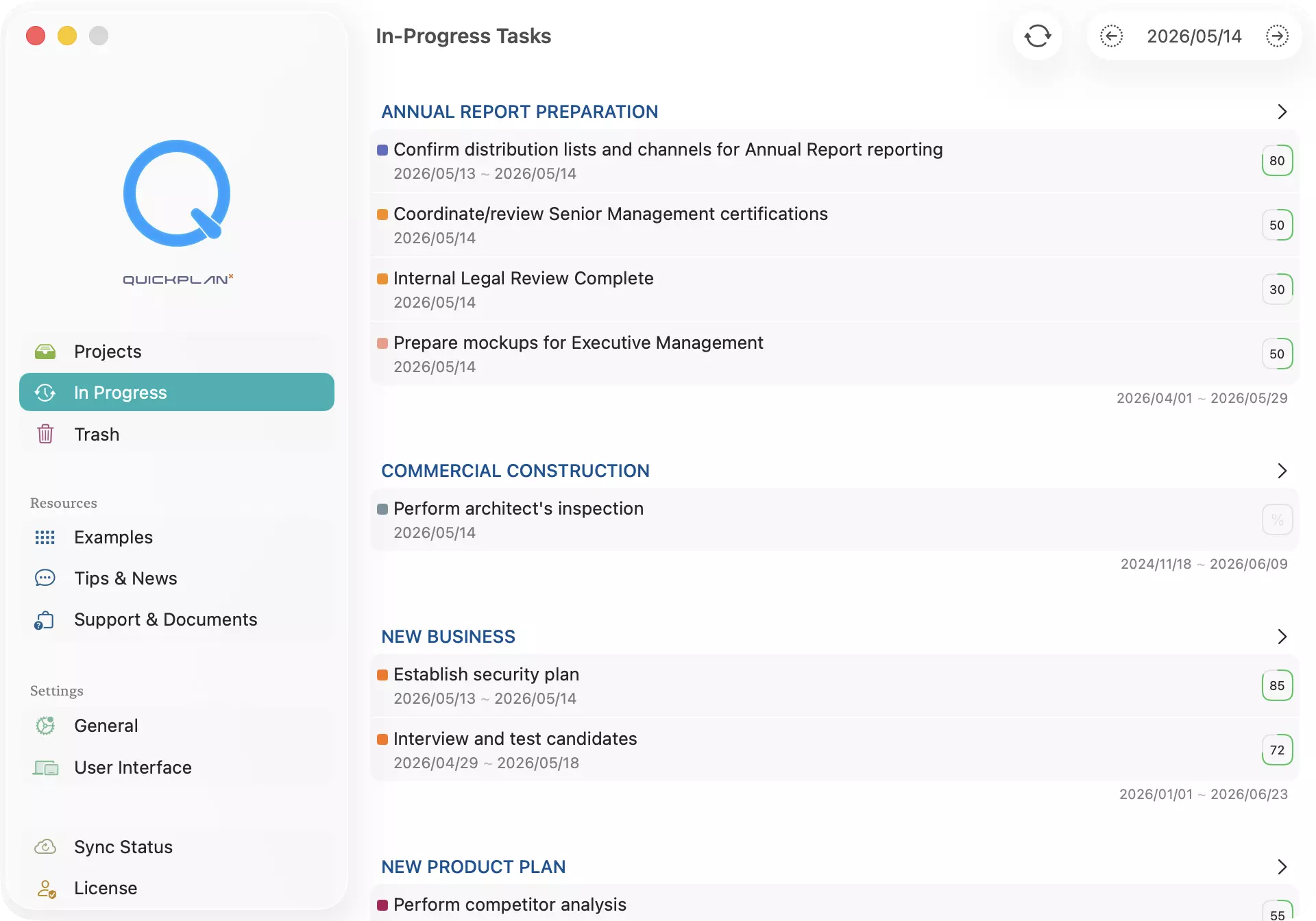
QuickPlanX 2.0 introduced the In-Progress View — a dedicated panel in the welcome window that consolidates active tasks from all your projects, removing the need to jump between separate project files.
What's New:
- Daily Task Dashboard: See all active tasks for today, or browse any date using the toolbar navigation.
- Cross-Project Grouping: Tasks are automatically grouped by project for immediate context.
- One-Tap Navigation: Tap any task to jump directly to its position inside the project file.
- Manual Refresh: Reload and display the latest data instantly after task edits.
👉 Read the Version 2.0 Release Post
Version 2.1 — Settings Tag Filtering
Released: May 25, 2026
Key Feature: Locate any configuration option instantly with tags
QuickPlanX 2.1 added multi-tag filtering to App Settings, making it incredibly easy to find the exact option you need without scrolling through a long list of settings.
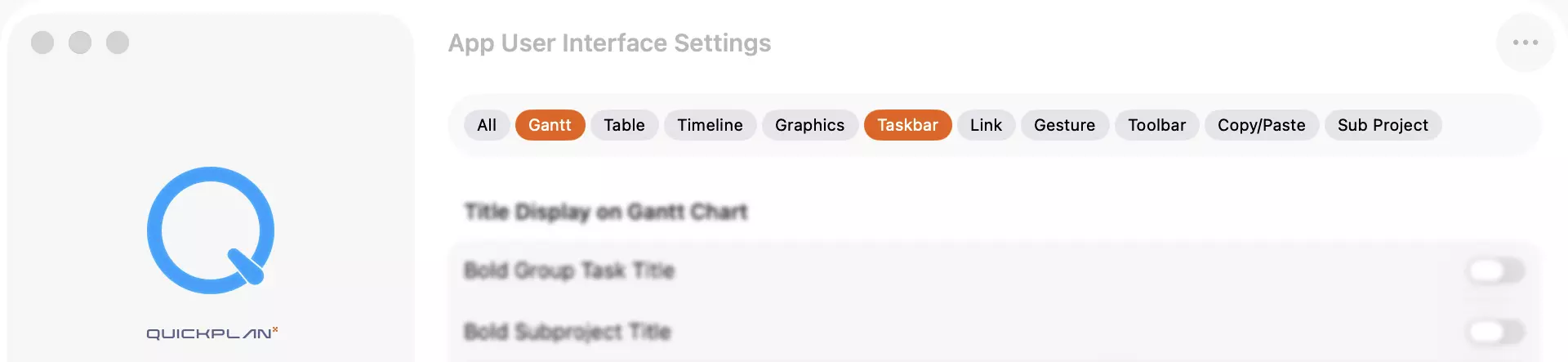
Instead of forcing settings into rigid sections:
- Multi-Select Tags: Combine tags (e.g., Gantt and Display) to narrow down your settings.
- Real-Time Filtering: The settings list updates instantly as you select or deselect tags.
- Smart Overlaps: Settings carrying multiple tags appear under all relevant concepts (like a date format under both Calendar and Export).
👉 Read the Version 2.1 Release Post
Version 3.0 — Status Day
Released: June 6, 2026
Key Feature: Keep project plans aligned with reality
Project schedules inevitably drift over time. QuickPlanX 3.0 introduced Status Day — a structured, deliberate workflow to bring delayed and unrecorded tasks back into sync.
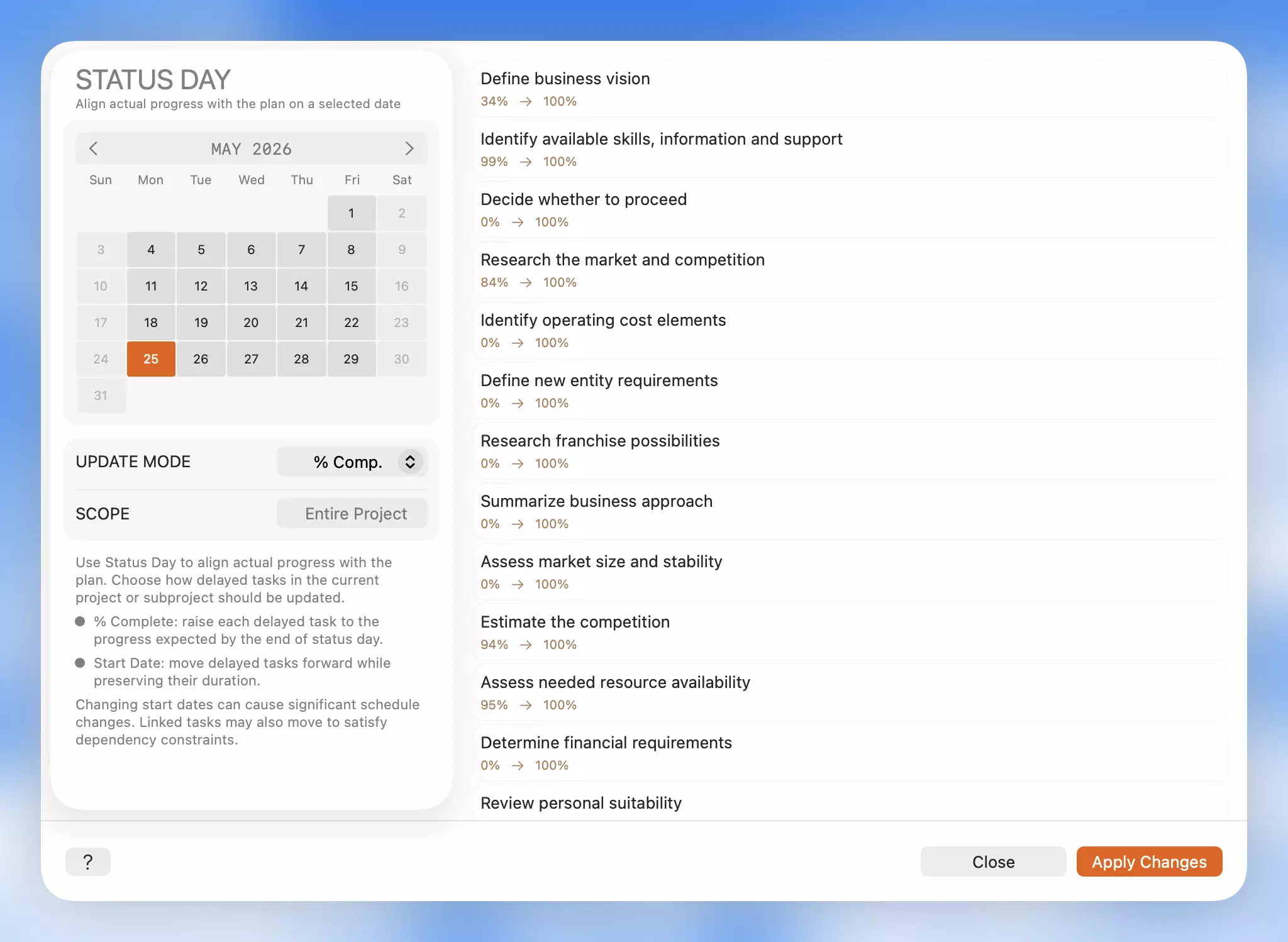
How it Works: Select a status date, preview the tasks that should have progressed further by that date, and choose one of two targeted updates to resolve them:
- % Complete (Update the Record): Raises task completion values to match expected progress, keeping original schedule dates unchanged (ideal when work occurred but wasn't logged).
- Start Date (Update the Schedule): Reschedules delayed tasks forward to the status date, preserving their duration and shifting dependent tasks automatically (ideal when work did not happen).
Version 4.x — Smarter Exports, Calendar Integration, and Day View Options
Released: July 3, 2026
Key Features: Date range PDF exports, system calendar integration, and custom day-view headers
QuickPlanX 4.0 and 4.1 introduced highly requested details to improve flexibility when exporting, sharing, and viewing your timeline:
- Date Range PDF Export (4.0): Select a custom Start and Finish date range in the PDF options. The Gantt chart timeline automatically scales to fit your selected window, keeping your exported documents clean and focused, while table data continues to reflect real metrics accurately.
- Add Tasks to System Calendar (4.0): Create an all-day event in your device's native Calendar app directly from any leaf task with one click—perfect for sharing milestones with team members who do not use a dedicated project manager.
- Day View Custom First Row (4.1): Customize the top row in the Day view style to display either the month or the week number, letting you choose the timeline label that best fits your sprint cycles.
👉 Read the Version 4.x Release Post
Release Timeline Summary
| Version | Release Date | Key Highlight |
|---|---|---|
| v1.1 | May 6, 2026 | Project Gantt Dashboard |
| v2.0 | May 14, 2026 | In-Progress View (cross-project tracking) |
| v2.1 | May 25, 2026 | Settings Tag Filtering |
| v3.0 | June 6, 2026 | Status Day review workflow |
| v4.0 | July 3, 2026 | Custom PDF Range & Native Calendar Action |
| v4.1 | July 3, 2026 | Custom Day View header labels (Month/Week) |
Over the past two months, QuickPlanX has rapidly advanced from 1.1 to 4.1. We are committed to listening to your feedback and converting ideas into useful product features at speed. Thank you for being a part of this journey!